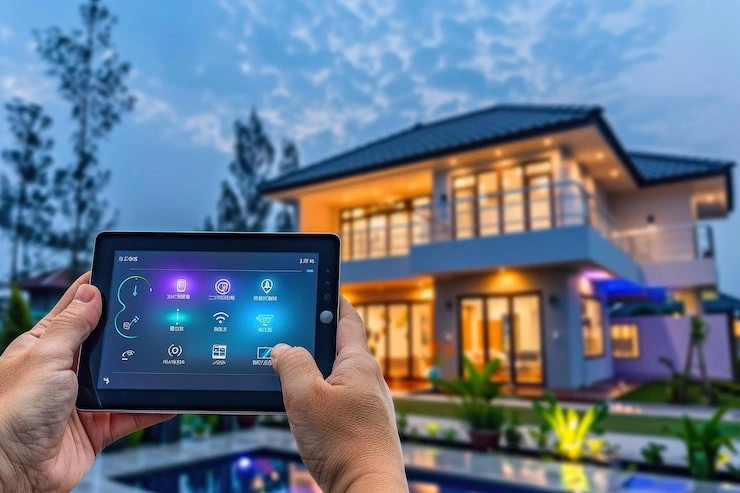
Starting a smart home doesn't have to be complicated. Picture this: you walk in after a long day, lights softly glow on, your favorite playlist starts, and the AC cools just right. It's not sci-fi—it's simple tech making everyday life smoother. I've helped friends and family set these up over the years, turning ordinary spaces into helpful ones. The trick for beginners? Pick ideas that solve real problems like forgetting lights or wasting energy. We'll cover practical steps, easy installs, and ways to mix devices without overwhelm. No expert skills needed. Just follow along, start small, and watch your home get smarter. Ready to the best smart home ideas for beginners?
Start with Smart Lighting
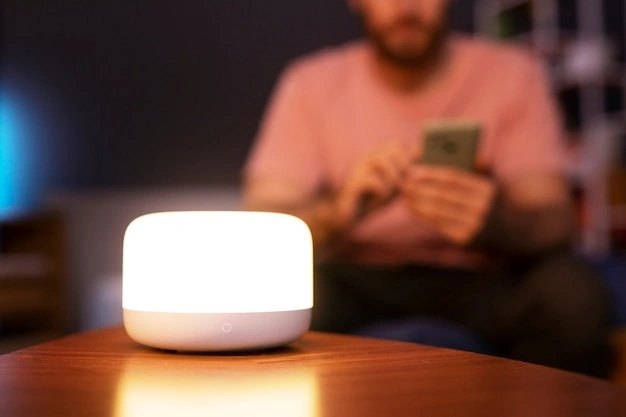
Smart lights change everything for beginners—they're easy, fun, and show results right away. You control them with your voice, phone, or schedules. No more stumbling in the dark or leaving rooms lit all night. Let me share a story: my first smart bulb setup was in the kitchen. I set it to brighten slowly at 7 AM, matching my coffee routine. It felt like magic, and my energy bill dropped noticeably.
Pick bulbs that fit standard sockets—screw them in like regulars. Download the app, connect to Wi-Fi, and you're set. Group rooms: "Living room lights on." Change colors for moods—blue for work focus, orange for cozy evenings. Motion sensors add wow: enter the bathroom, lights pop on. Outdoors, weatherproof floods light driveways safely.
Here's a quick comparison to help choose:
| Feature | Basic Bulbs | Motion-Enabled | Color-Changing |
|---|---|---|---|
| Cost | Low | Medium | Medium-High |
| Best For | Schedules | Hallways/porches | Parties/moods |
| Energy Savings | Good | Excellent | Good |
| Install Time | 5 mins | 10 mins | 5 mins |
Schedules save big—fade at bedtime, wake-up ramps. Integrate with door locks: arrive home, entry glows. For kids' rooms, nightlights auto-dim. Test apps for reliability; some let you draw boundaries. Avoid overload: start with 4-6 bulbs. Pets? Motion ignores small movements. Expand to under-bed strips for reading nooks.
I once forgot vacation lights—remote off saved a neighbor call. Safety perk: strobe for emergencies. Beginners, this builds confidence fast.
Key Takeaway: Smart lighting delivers instant joy and efficiency—your perfect starting point.
Control Temperature with a Smart Thermostat
A smart thermostat keeps your home just right without constant fiddling. It learns when you're home, adjusts quietly, and cuts energy waste. Coming back to a cool house on a hot day? Priceless. I installed my first one during summer—pre-cooling kicked in 30 minutes before arrival, based on my phone's location. Bills fell, comfort rose.
Installation's straightforward: snap photos of wires, swap units, follow app prompts. Takes 20-30 minutes. Set base temps, let it adapt. Zones split floors—kids' rooms warmer, office cooler. Apps show graphs: spot spikes from open windows.
Voice commands shine: "Bump heat 2 degrees." Geofencing auto-shifts when leaving. Weather links prevent overworking—rainy days mean less AC. Reports track savings; mine hit 18% first month.
Pair with plugs for fans or humidifiers. Eco-mode optimizes for planet and wallet. Multi-user apps vote on temps. Guests? Temporary schedules. Clean sensors yearly for accuracy.
Story time: family trip, I lowered heat remotely—no frozen pipes. Drafts? It compensates. Beginners, monitor first week, tweak habits.
Key Takeaway: Smart thermostats blend comfort with real savings effortlessly.
Boost Security Using Smart Locks and Cameras
Feel secure knowing you can check your home anytime. Smart locks ditch keys; cameras watch angles you can't. Peace of mind for beginners. After losing keys once, I added a lock—now codes for cleaners, auto-lock at night. No spare under mats.
Locks install over deadbolts—no tools often. App shares temp codes: "Pizza guy gets 1234 for 10 mins." Alerts for every unlock. Batteries last a year; low warnings ping.
Cameras: door-facing with wide views. Battery or wired, night vision essential. Motion clips to phone—review who rang bell. Two-way talk: "Package on porch!" Doorbells integrate for instant faces.
Routines: door opens, lights on, thermostat adjusts. Window sensors chime if breached. Privacy: auto-delete old clips, secure logins.
Test: fake deliveries, night tests. Sensitivity tunes out wind. For renters, adhesive mounts. Scale to garage cams.
I slept better post-setup—worth every minute.
Key Takeaway: Smart security turns worry into watchful calm.
Simplify Cleaning with a Robot Vacuum
Let robots handle dirt while you do what matters. They map, suck, and dock solo—game-changer for beginners. My unit runs mornings; floors gleam by lunch. No more weekend scrubs.
Round design slips under sofas. App maps first pass, labels rooms. "Clean kitchen only." Schedules: daily living room, weekly edges.
Self-empty docks hold a month's dust. Mop pads tackle spills. Voice: "Start vacuum." App paths show coverage.
-
Time freed: 4-6 hours weekly for hobbies.
-
Pet hair pros: tangle-free brushes.
-
Quiet night mode for stealth cleans.
Brush clean monthly. Multi-floor? Portable dock. Avoid rugs first week—learn mode. Paired with locks: cleans when out. Allergy win: traps pollen. Mesmerizing to watch—feels futuristic yet simple.
Key Takeaway: Robots make spotless floors automatic.
Streamline Your Kitchen with Smart Plugs and Appliances
Smart plugs automate kitchen chaos cheaply. Remote brew coffee, time ovens safely. Beginners' best bang-for-buck. Plugged my coffee maker—wake to aroma. Forgot toaster? App kills power.
Plugs fit outlets; app groups "Breakfast." Energy meters flag leeches. Voice: "Start blender." Slow cookers remote-start dinners. Fridges alert open doors. Scales sync recipes—exact measures.
-
Coffee timers: perfect mornings.
-
Heaters: safe winter warmth.
-
Lights: holiday ease.
Integrate: cooking heat triggers vents. Humidifiers for dry air.
Baking precision soared for me. Safety first—auto-shutoffs.
Key Takeaway: Plugs smarten kitchens without big spends.
Enhance Entertainment Using Smart Speakers
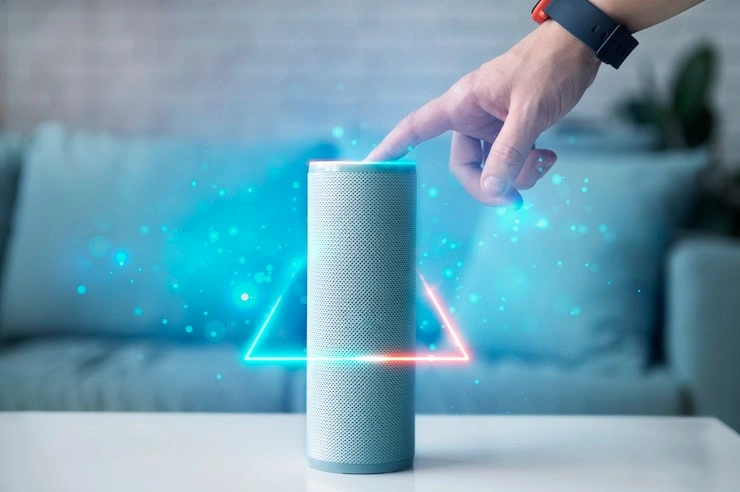
Speakers voice-control your world—music, news, devices. Hub for beginners. Central spot, quick setup. "Play rain sounds"—stress melts.
Link all: "Dinner time" dims lights, cues tunes. Multi-room syncs parties.
Display models show recipes, calendars. Privacy: mute, history wipe.
-
Phrases: "Set timer 10 mins."
-
Headphones: private jams.
-
Updates: new tricks free.
Daily: weather, lists. Assistant vibe.
Key Takeaway: Speakers unify fun and function.
Putting It All Together: Smart Home Hub and Routines
- Hubs mesh devices into magic. One app rules. "Away mode": locks, lights off, AC up.
- Plug-in setup, private net. Wizards build: sunrise brew, night wind-down.
- Restart monthly. Guest nets. Open for growth.
- Savings: 15-25%. Test routines.
- Key Takeaway: Hubs make smart homes seamless.
FAQs
What exactly is a smart home hub, and how do I pick one?
A hub is like the brain connecting your lights, locks, and thermostat so they talk to each other. Pick one by checking if it works with your devices (look for "compatible" lists in apps) and supports voice control—start with simple Wi-Fi models under $50.
How do I fix a smart device that's not connecting to Wi-Fi?
First, restart your router and the device (unplug 30 seconds). Then, bring it closer to the router during setup, and use the 2.4GHz band (not 5GHz). If stuck, reset via the app's hold-button trick—works 90% of the best smart home ideas for beginners.
What routine should I set first, and how?
Start with a "good morning" routine: lights brighten, coffee starts, news plays. How? In the app, go to "routines," pick triggers like time or voice, add actions, and test it once.